Message Mapping in SAP CPI: From Basics to Advanced Techniques
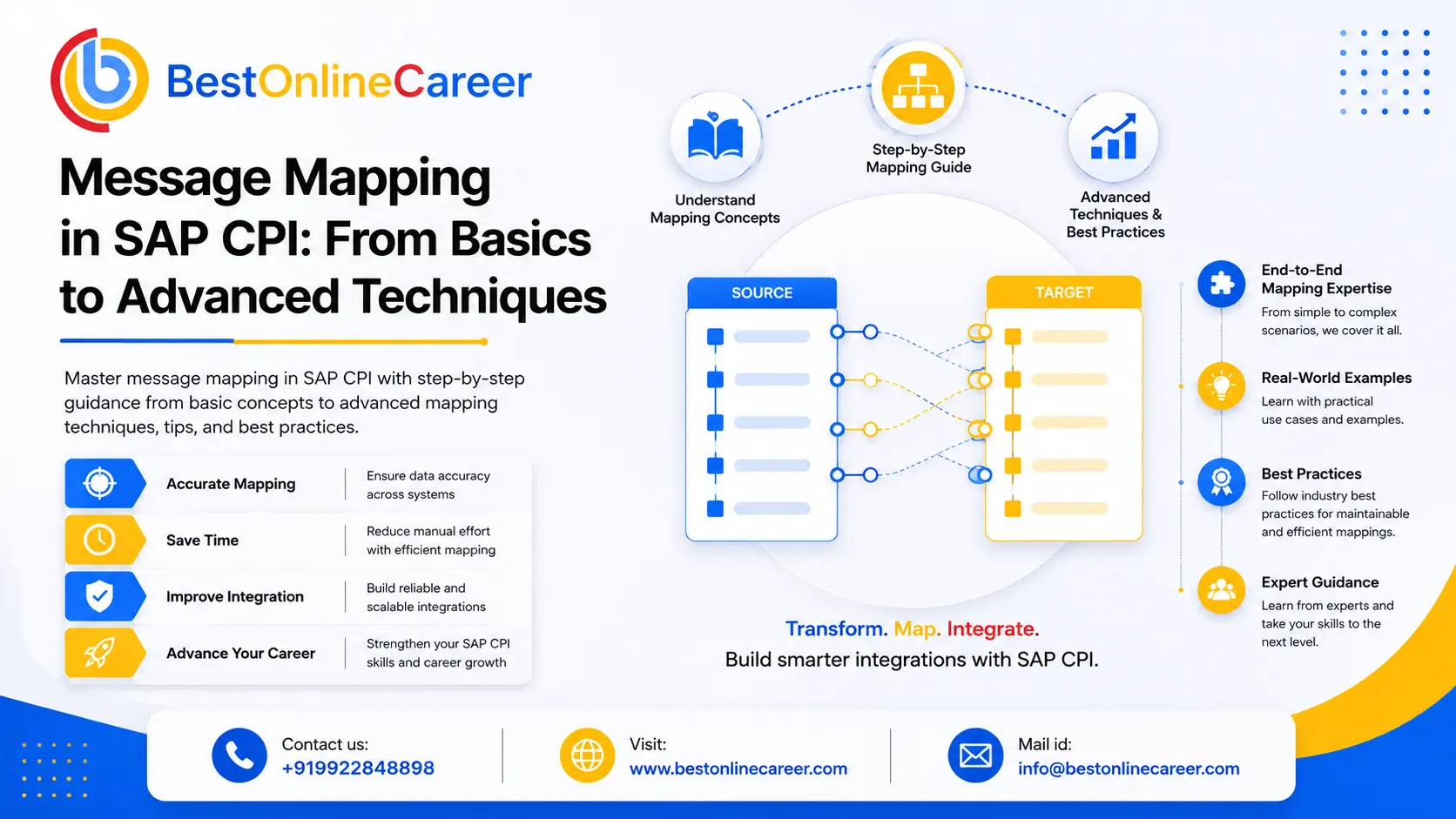
What is Message Mapping?
In the realm of enterprise integration, information often needs to speak the same language across different systems. SAP Cloud Platform Integration, often referred to by its acronym SAP CPI, bridges this gap by utilizing a powerful feature known as Message Mapping. At its heart, Message Mapping in SAP CPI is the method of changing messages from one format into another so that the system sending it and the system receiving it can seamlessly communicate, without manual intervention. When an SAP S/4HANA system sends an order confirmation in one format but the third-party logistics provider expects identical data in a different format, Message Mapping steps in to perform the conversion efficiently, precisely, and in real-time.
Message Mapping in SAP CPI is done visually using a graphical editor, which makes it accessible not only to hardcore developers but also to functional and integration consultants. Drag, drop, and join fields between the source structure and the target structure, and the platform takes charge of the transformation logic underneath. It supports a variety of formats, including XML, JSON, CSV, and even SOAP or REST payloads, making it extremely flexible for today's enterprise environments.
Why Message Mapping Matters in Integration Flows
Every business today runs on information, and this data is transferred through dozens, if not hundreds, of systems. ERP platforms, CRM tools, third-party vendor APIs, legacy systems, and cloud-based applications each have their own data models. Without a reliable method to convert between these models, integration slows down, mistakes pile up, and business operations are affected.
This is precisely why SAP CPI message mapping sits at the center of any integration flow. It ensures that when data moves from point A to point B, it arrives in the correct form, with the correct field names, in the proper format, and with the appropriate values. It eliminates the need for manual data entry, reduces human errors, and speeds up the entire integration process.
Beyond accuracy, message mapping in SAP integration also brings consistency. Once a mapping is established and verified, it operates the same way every time. Whether you are processing ten messages per day or ten thousand, the process remains reliable. This is the consistency that businesses depend upon when connecting critical systems such as supply chain, finance, and customer experience platforms.
Message Mapping also plays an important role in auditability and compliance. Because the transformation logic is documented and visible within the integration flow itself, teams can examine and validate exactly how data is transformed at any given point in time. This transparency is essential in highly regulated industries where data accuracy is not just important but legally required.
Key Concepts Before You Begin
Before you start creating your first message map in SAP CPI, it helps to understand a few foundational ideas that will shape the way you approach each mapping scenario.
The first concept is the schema. A schema is essentially the blueprint for your data structure. It defines what fields are available, what data types they hold, whether they are mandatory or optional, and how they are nested or organized. SAP CPI typically works with XSD schemas for XML-based messages and also supports JSON structures for API-based integrations. A clear source schema and an accurate target schema are the starting point for any mapping exercise.
The second concept is fields and nodes. In the mapping editor, your data structure appears as a tree. Each branch is called a node, while the leaves of the tree are the fields that hold actual values. Understanding how nodes relate to one another, especially when they repeat, is essential for building accurate maps.
The third concept involves mapping functions. SAP CPI provides a rich set of built-in functions you can apply during mapping. These include string functions for text manipulation, date functions to convert formats, arithmetic functions for calculations, and boolean functions for conditional logic. These functions are the building blocks of dynamic, intelligent transformations in SAP CPI message mapping.
Finally, understanding context is vital. In SAP CPI, context in mapping refers to how the system handles repeating structures and determines how values from one set of nodes relate to those in another. Context is what separates a well-built mapping from one that produces errors and duplicate results.
Accessing the Message Mapping Editor in SAP CPI
Accessing the Message Mapping editor in SAP CPI is straightforward once you know where to look. It is available through the SAP Integration Suite, which is the broader platform that hosts SAP CPI. After logging in, navigate to the Design section, where all your integration packages and artifacts are stored.
Within a package, you can create a new Message Mapping artifact directly. This opens the dedicated mapping editor, which is separate from the flow canvas. The editor is a clean, split-screen interface designed specifically for building and managing transformation logic, free from the distractions of the larger interface.
You can also access Message Mapping from within an existing integration flow by adding a Message Mapping step to your flow and then opening the mapping artifact it references. This is the standard working method for integration developers because it keeps the mapping connected to the flow it belongs to.
Once inside the editor, you can import schemas, define source and target structures, and begin building your mapping logic. The editor auto-saves your work and lets you test your SAP CPI message mapping using a sample payload without deploying the full integration flow, which is a significant time-saver during development and debugging.
Understanding the Mapping Workspace
The SAP CPI mapping workspace is divided into three connected sections that give you full control over your transformation logic.
On the left is the Source Structure panel. This displays the schema of the incoming message, along with the data coming from the sending system. Each field and node within the source is shown in tree form, and you can expand or collapse branches to explore the structure. This is where the raw, unmodified data lives.
On the right is the Target Structure panel. It follows a similar layout but represents the output message structure, which is the format the receiving system expects. The goal of every SAP CPI message mapping exercise is to connect the right source fields to the correct target fields so that output messages are properly formatted and fully populated.
In the middle of the workspace is the Function Library and the mapping canvas. This is where the real work happens. When you draw a connection from a source field to a target field, a line appears on the canvas representing that mapping relationship. If you need to apply transformation logic, you drag a function from the library onto the canvas, connect the source field to the function, and then connect the function output to the target field. This visual approach makes even complex transformation logic easy to understand at a glance.
At the bottom of the workspace is a test panel. You can paste in a sample message and immediately see what the mapping output looks like. This instant feedback loop is one of the most valuable features of the mapping editor and significantly reduces the time needed to verify mapping logic.
Working with Repeating Structures
One of the most complex challenges in SAP CPI message mapping is handling repeating structures. In real-world integration scenarios, messages are rarely about just one item. A sales order might have multiple line items. A customer record might contain multiple addresses. An invoice might include multiple tax entries. These repeating data groups, often called loops or repeating nodes, require special attention when designing your mappings.
In SAP CPI, repeating structures are indicated in the schema tree with a specific marker showing that the same node can occur multiple times. When you map a source node to a target node that follows a repeating pattern, the mapping engine iterates through each instance and applies the transformation logic to each one. This means you define the mapping once, and it handles ten items or ten thousand the same way.
Things become more complex when the repetition pattern on the source does not exactly match the repetition on the target. For example, you might have a flat list of order items in the source that needs to be grouped by category in the target. Or you may need to merge multiple source records into a single target record based on a shared key value. These scenarios require a solid understanding of context handling in SAP CPI message mapping, which determines how the mapping engine groups and iterates through nodes.
Handling repeating structures correctly is essential for building reliable integrations. A mapping that works perfectly for single-item messages will often fail or produce incorrect results when dealing with real production data containing many items. This is why testing with multi-record payloads during development is strongly recommended.
Combining Multiple Source Fields into One Target Field
There are many situations in integration where a single target field must be built from the values of multiple source fields. A full name may need to be assembled from a first name and a last name. A complete address may need to be constructed by combining street, city, state, and postal code fields. A product description may need to include both a name and a code joined together.
SAP CPI makes this straightforward using combination functions on the mapping canvas. The most commonly used is the concatenation function, which joins two or more strings together with an optional separator such as a comma, space, or hyphen. You simply connect your source fields into the function, set the separator if needed, and connect the output to your target field.
Beyond basic concatenation, SAP CPI also provides format functions that let you define the exact pattern or template of the resulting value. This is especially useful when the output must follow a specific business format, such as reference numbers that combine a department code, a date, and a unique sequence number in a set pattern.
You can also apply conditional logic before joining values. For example, you might want to include a middle name in the full name only when it is present in the source data and omit it entirely when the field is empty. This kind of intelligent logic in SAP CPI message mapping keeps your target data clean and properly formatted regardless of variations in the source data.
Dynamic Value Mapping Using Value Mapping Tables
In enterprise integration, it is common for two systems to use different codes or identifiers to express the same business concept. One system might use the country code US while another expects United States. A product category might be represented as CAT001 in your ERP but needs to be translated to Electronics in your e-commerce platform. This is exactly the problem that Value Mapping Tables in SAP CPI are designed to solve.
Value Mapping Tables allow you to define a lookup table of equivalent values shared between two systems. You create a table with two columns: one representing the value in the source system, and another reflecting the equivalent value in the target system. When mapping runs and the engine encounters a value from the source, it looks it up in the table and automatically replaces it with the appropriate value for the target system.
What makes this feature truly powerful is its dynamic nature. Unlike hard-coded transformations where the value translation logic is buried inside a script or function, Value Mapping Tables are stored as separate, reusable artifacts in SAP CPI. This means business users or administrators can update the mappings without touching the integration flow itself. If a new product category is introduced or a country code changes, the table is updated and the integration continues running smoothly without any redeployment.
Value Mapping Tables in SAP CPI message mapping also support multiple agency and scheme combinations, meaning you can use the same table to handle translations across more than two systems. This makes them a powerful and flexible solution for code translation across complex multi-system landscapes.
| Source System Value | Target System Value | Use Case Example |
|---|---|---|
| US | United States | Country code translation between ERP and CRM |
| CAT001 | Electronics | Product category mapping for e-commerce |
| EUR | Euro | Currency code expansion for finance systems |
| OPEN | In Progress | Order status translation between systems |
REST to SOAP Payload Transformation
One of the most commonly encountered real-world scenarios in SAP CPI message mapping is transforming a REST-based JSON payload into a SOAP-compliant XML message, or the other way around. This situation arises frequently in modern cloud environments where applications communicate via REST APIs but need to integrate with legacy enterprise systems that still rely on SOAP web services.
The challenge here goes beyond field-level mapping. REST and SOAP are fundamentally different communication styles. REST messages are typically lightweight JSON structures with no strict envelope requirements, while SOAP messages follow a rigid XML format that includes a defined envelope, header, and body. Solving this in SAP CPI requires both structural transformation and format conversion within the same mapping process.
SAP CPI handles this gracefully by allowing you to use XSLT mapping or graphical message mapping to read the incoming JSON or XML from the REST service, restructure it into the SOAP envelope format, and populate all required SOAP-specific fields such as namespace declarations, service headers, and body elements. The mapping must also handle data type alignment, since REST and SOAP services can represent the same values in different formats.
This transformation is a strong example of why a well-designed SAP CPI message mapping strategy matters. A properly built REST-to-SOAP mapping makes the connection between the two systems completely invisible. The REST client never needs to know it is communicating with a SOAP service, and the SOAP service does not need to adapt to modern API consumers. The mapping layer silently and efficiently handles all the complexity.
Multi-Level Mapping for Complex Hierarchies
As integration scenarios grow in complexity, so do the data structures involved. Multi-level mapping in SAP CPI refers to situations where both the source and target messages are deeply nested hierarchical structures with multiple layers of parent-child relationships. These are common in industries such as retail, manufacturing, and finance, where documents carry rich, multi-layered information.
Consider an order document where the top level holds the order header with customer and date information, the second level contains multiple shipments, the third level holds multiple line items within each shipment, and the fourth level contains tax and discount details for each line item. Transforming this kind of structure into an equally complex target hierarchy requires careful planning and a thorough understanding of how the SAP CPI mapping engine traverses nodes.
The key to success in multi-level SAP CPI message mapping is establishing the correct parent-child relationship at every stage of the hierarchy. You need to ensure that when the engine processes line items, it assigns them to the correct shipment, and when it processes shipments, it links them to the correct order header. This is managed through node functions and context assignments available within the mapping editor.
Testing multi-level mappings requires authentic, representative sample data. A test payload with only one level of nesting will not reveal problems that only appear when the mapping encounters three or more levels of repeating groups simultaneously. Using production-like test data early in the development process is a habit that saves considerable time later in the project lifecycle.
Common Mapping Errors and How to Fix Them
Even experienced integration developers run into mapping errors. Knowing the most common ones and understanding how to resolve them quickly is a skill that dramatically improves your productivity when working with SAP CPI message mapping.
| Error Type | Common Cause | Recommended Fix |
|---|---|---|
| Null or empty value | Source field missing from incoming message | Add null checks or default value functions to handle missing fields gracefully |
| Repeating node context issue | Incorrect context assignment on the mapping canvas | Review and correct context assignments for every repeating node in the mapping |
| Schema mismatch | Source or target system updated its structure without notifying the integration team | Update the schema in the mapping editor and review all affected field connections |
| Data type error | Source field value does not match the expected format of the target field | Add an appropriate type converter or date formatter function on the mapping canvas |
The most frequently encountered problem is the null or empty value issue. This occurs when a source field your mapping depends on is absent from the incoming message. If your mapping does not account for this possibility, the transformation can fail or produce an incomplete target message. The fix is to add null checks or default value logic to any fields that might be missing, so your SAP CPI message mapping handles absent data gracefully rather than breaking.
Another common issue is repeating node context problems. This usually appears as a target message with duplicate values in multiple places, missing items, or items linked to the wrong parent. The root cause is typically a misplaced context assignment on the mapping canvas. The solution is to review how context is set for every repeating node and adjust it to match the intended iteration logic.
Schema mismatch errors occur when the data arriving at the mapping step no longer matches the schema the mapping was built against. This can happen when either the source or target system changes its data structure without the integration team being informed. The fix is to update the schema in the SAP CPI mapping editor to reflect the latest structure and then review all affected mappings to ensure they still point to valid fields.
Data type errors occur when a source field contains a value that does not match the expected format of the target field. For example, mapping an unformatted date field to a target field that requires a specific date format can trigger a type conversion error. Adding the appropriate date converter function on the mapping canvas resolves this cleanly and keeps the SAP CPI message mapping running without interruption.
Related SAP Training Courses
Share this article
Help others discover this valuable SAP content