Key Business Processes in SAP FICO and Their Use in Real Projects
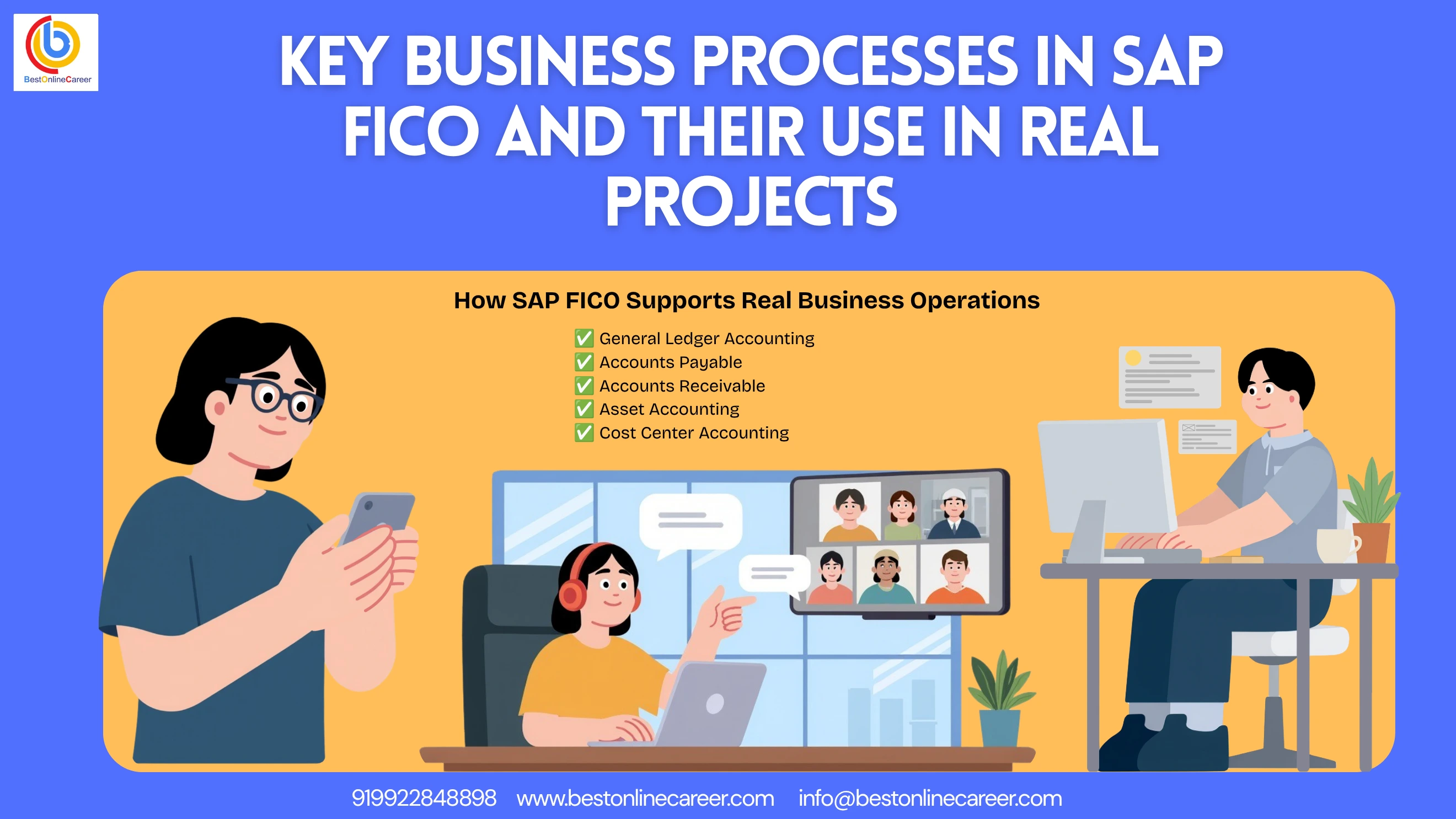
How SAP FICO Transformed Financial Management in Global Enterprises
In the current business environment that is fast-paced, managing finances manually is no longer a viable option for large corporations. SAP FICO — which is a shorthand for Financial Accounting (FI) and Controlling (CO) — has revolutionized the way that global companies manage their finances. For anyone pursuing an SAP FICO course or looking to build a career in SAP financial accounting, understanding this transformation is the right starting point.
Here's the way in which SAP FICO transformed financial management all over the world:
-
Real-Time Financial Reporting
Prior to SAP FICO, businesses were forced to wait for days or weeks to receive financial reports. SAP FICO changed everything by offering real-time financial data by pressing an icon. Finance managers can now see balance sheets, profit and loss accounts, and cash flow statements immediately — with no delay. This is one of the core reasons why SAP FICO training in Hyderabad focuses so heavily on reporting capabilities. -
Removal of Manual Errors
Manual accounting was always vulnerable to human error that resulted in incorrect entries, duplicate payments, and reconciliation problems. SAP FICO eliminated these problems by automating financial transactions, validations, and approvals. Each entry is controlled by SAP FICO and audit-ready — a major advantage for companies of every size. -
Seamless Integration Across Departments
One of the most important changes SAP FICO brought was connecting finance to every other department — including sales, procurement, production, and HR. When a purchase request is issued by the procurement department, SAP FICO automatically updates the accounts payable. If a sales invoice is created, the accounts receivable are updated in real-time. This end-to-end SAP FICO integration is a key topic in every comprehensive SAP FICO training program. -
Global Compliance and Standardization
Multinational businesses operate in multiple countries with different tax laws, currencies, and accounting standards. SAP FICO supports IFRS, GAAP, GST, VAT, and local tax laws — making global compliance simple and standardized. -
Cost Control and Profitability Monitoring
With the CO module, businesses can now track every dollar spent — whether by department, product, project, or region. This level of transparency was not possible prior to SAP FICO. Leadership teams are now able to take data-driven decisions that cut costs and boost profitability — a core skill developed during SAP FICO certification preparation. -
Faster Month-End and Year-End Closings
Month-end and year-end closings used to take weeks in traditional accounting. SAP FICO reduced this to only a few days with automated depreciation, GR/IR clearing, currency valuation, and financial statement production. -
Audit Trail and Transparency
Every activity in SAP FICO is logged by document number, posting date, user ID, and reference. This complete audit trail allows external and internal audits to be easy and transparent — making SAP FICO a must-learn tool for finance professionals. -
Scalability for Business Growth
Whether an organization has 100 employees or 100,000, SAP FICO scales effortlessly. When businesses grow and expand to new locations or business lines, SAP FICO can be configured to handle growing complexity without any interruption.
What You'll Learn From This Comprehensive SAP FICO Business Process Guide
This guide will provide you with complete practical and professional knowledge of the SAP FICO business processes. Whether you're beginning your journey with an SAP FICO course or are a seasoned finance professional seeking to enhance your knowledge, this guide has everything you need.
At the end of this guide you'll be able to:
- Understand Essential SAP FICO Modules and Their Functionalities — You'll comprehend the complete arrangement of SAP FICO: what FI covers, what CO covers, and how both are integrated to provide a full picture of a company's financial health.
- Follow Key Business Processes Step By Step — You will understand all the important business processes in SAP FICO — from General Ledger Accounting, Accounts Payable, Accounts Receivable, and Asset Accounting in FI, to Cost Center Accounting, Profit Center Accounting, Internal Orders, and Profitability Analysis in CO.
- Learn End-to-End Process Flows Used in Real Projects — You will learn how real-world business processes like Procure to Pay, Order to Cash, and Record to Report work within SAP FICO — using real project examples from retail, manufacturing, banking, and IT industries.
- Understand SAP FICO Configuration Basics — You will have a better understanding of how SAP FICO is configured in real-world projects, including company code setup, chart of accounts, posting period, fiscal year, document types, and number ranges.
- Explore SAP FICO Integration with SAP Modules — You will discover how SAP FICO integrates with SAP MM, SAP SD, SAP HR, SAP PP, and SAP PS — and why this integration is essential for smooth enterprise operations.
- Grasp Business Area and Profit Center Concepts — You'll know the difference between Business Area and Profit Center, when each applies, and how they are used in actual SAP FICO projects.
- Understand Taxation in SAP FICO — You will learn how GST, TDS, and withholding taxes are configured and managed in SAP FICO, specifically for Indian business scenarios.
- Generate Financial Reporting and MIS — You'll find the most important financial reports generated by SAP FICO — including balance sheets, P&L reports, aging reports, cost center reports, and management dashboards.
- Stay Updated on Salary and Career Trends — You'll find detailed information about SAP FICO career paths, salary ranges, top hiring companies, and how to grow from a fresher consultant to a solution architect.
- Follow a Training and Certification Guideline — You will discover how to pick the most suitable SAP FICO training institute in Hyderabad, understand what the certification exam covers, and learn how to prepare effectively.
Profit Center vs Business Area in SAP FICO — Key Differences Explained
A recurring and challenging area for SAP FICO learners — and even experienced consultants — is the distinction between Profit Center and Business Area. Both are used for segment reporting, but they serve different functions in actual projects.
What is a Profit Center?
A Profit Center is an organizational unit within the SAP CO (Controlling) module that represents a specific area of responsibility in a company. It's used to assess the efficiency of internal departments like divisions, product lines, or geographical areas. Profit Centers are part of the controlling area and are closely linked to the CO module. This is a fundamental concept in any SAP FICO course covering management accounting.
What is a Business Area?
A Business Area is an organizational unit within the SAP FI (Financial Accounting) module. It's used to create financial statements — such as balance sheets and profit and loss accounts — for specific parts of a company like divisions or lines of business. Business Areas are cross-company code units, meaning they extend across several company codes.
Key differences between Profit Center and Business Area:
| Criteria | Profit Center | Business Area |
|---|---|---|
| Module | SAP CO (Controlling) | SAP FI (Financial Accounting) |
| Purpose | Internal management reporting and profitability analysis | External financial reporting at a segment level |
| Financial Statements | Generates its own balance sheet and P&L in SAP S/4HANA | Also produces balance sheet and P&L, but considered a legacy concept |
| Integration | Deeply integrated with Cost Centers, Internal Orders, and CO-PA | Integrated into FI transactions with limited CO integration |
| Relevance in S/4HANA | Fully supported and highly recommended | Still accessible, but SAP recommends Profit Center instead |
| Assignment | Assigned to Cost Centers, Materials, and Assets | Assigned to Plant, Division, or manually in FI transactions |
| Reporting | More thorough and flexible — filter by customer, product, region | More straightforward and limited to high-level segmentation |
| Usage in Real Projects | Standard in modern SAP FICO implementations | Still used in legacy systems and cross-company reporting scenarios |
Which One Should You Use in Real Projects?
For most recent SAP FICO implementations — particularly on S/4HANA — Profit Centers are the preferred option since they provide greater flexibility, better integration, and more powerful reporting capabilities. Business Areas still have value for specific situations, like when a company needs to prepare legal financial statements by division across different company codes.
Vendor Master Data Setup in SAP FICO — Key Fields and Configuration
Vendor Master Data is the foundation of the entire Accounts Payable process within SAP FICO. Without properly configured vendor master data, invoice processing, payment runs, and tax calculations are all ineffective. Understanding this setup thoroughly is an important part of SAP FICO accounts payable training.
What is Vendor Master Data?
Vendor Master Data is a central database that holds every detail about vendors or suppliers — including their name, address, bank details, payment terms, tax information, and reconciliation accounts. It is used across both the procurement (SAP MM) and financial accounting (SAP FI) modules.
Structure of Vendor Master Data in SAP FICO:
Vendor Master Data in SAP FICO is split into three layers:
- General Data — common information accessible across the entire company
- Company Code Data — financial accounting details specific to every company code
- Purchasing Organization Data — procurement-specific data (used for MM)
Key Fields in General Data:
- Name and Address of Vendor — The legal name, address, city, country, and postal code of the seller. This information is used for mail correspondence, dunning letters, and payment advice.
- Communication Information — Contact number, fax number, email address, and the website of the seller. Used for automated communications within SAP FICO.
- Bank Account Details — Bank account number, bank code (IFSC number in India), and country of bank. This is crucial for electronic transactions using SAP FICO's Automatic Payment Program.
- Tax Information — PAN number, GST registration number (GSTIN), and the vendor category. Incorrect tax information leads to incorrect TDS deductions and GST reporting errors — a critical point emphasized in SAP FICO GST configuration training.
Key Fields in Company Code Data:
- Reconciliation Account — One of the most crucial fields in vendor master data. The reconciliation account ties the vendor sub-ledger with the General Ledger. All vendor transactions are recorded to this GL account immediately. An incorrect reconciliation account can result in balance sheet errors.
- Payment Terms — Define how long a business has to pay its vendor, such as payment within 30 days or a 2% discount if paid within 10 days. Payment terms directly impact cash flow planning and discount calculation.
- Payment Methods — Define how vendors will get compensated: cheque, bank transfer (NEFT/RTGS), or demand draft. This field is used by the Automatic Payment Program to select the correct payment method.
- TDS Configuration — Vendor master data stores TDS information including tax code, tax type, and TDS eligibility. For Indian businesses, this covers sections 194C (contractors), 194J (professionals), and other applicable sections — a key topic in SAP FICO India localization training.
- Tolerance Groups — Define the permitted variation in a vendor payment amount. For example, if an invoice is for Rs 10,000 and actual payment is Rs 9,995, the system will automatically clear the difference if it falls within the tolerance limit.
- Sort Key — Determines how line items for vendors are organized in the vendor account — by posting date, document date, or reference code. This makes vendor account reconciliation simpler.
How Vendor Master Data is Used in Real Projects
When working on actual SAP FICO projects, vendor master data setup is carried out in three phases:
- Phase 1 — Data Collection: The finance team gathers vendor information through a vendor onboarding form.
- Phase 2 — Data Validation: Gathered information is validated against vendor registration certificates, GST certificates, and cancelled cheques.
- Phase 3 — Data Upload: Vendor master records are created in SAP FICO either manually using transaction code XK01, or in bulk using LSMW or BAPI tools.
Common Mistakes in Vendor Master Data Setup:
- Wrong reconciliation account — results in incorrect financial statements
- Incorrect bank information — the Automatic Payment Program fails
- Incorrect TDS codes — leads to wrong tax deductions and compliance issues
- Duplicate vendor records — can cause confusion and double payment
Cost Center Hierarchy and Standard Hierarchy Setup in SAP FICO
Cost Center Hierarchy is one of the most important configuration elements in the SAP FICO CO module. It determines how cost centers are arranged and organized within a business — and directly impacts cost reporting, planning, and allocation. This is a key area of focus in SAP FICO controlling module training.
What is a Cost Center Hierarchy?
A Cost Center Hierarchy is a tree structure that divides an organization's cost centers into groups and sub-groups. At the very top is the Standard Hierarchy — a mandatory structure that must contain every cost center within the controlling area.
What is a Standard Hierarchy?
The Standard Hierarchy is the main cost center grouping used in SAP FICO. It is defined at the controlling area level and must include all cost centers without exception. It is used for:
- Cost center budgeting and planning
- Assessment cycles and cost allocation
- Cost center reports and analysis
Structure of Cost Center Hierarchy in Real Projects:
In an actual SAP FICO project for a manufacturing firm, the cost center hierarchy typically looks like this:
- Level 1 — Company (e.g., ABC Manufacturing Ltd)
- Level 2 — Division (e.g., Production Division, Admin Division, Sales Division)
- Level 3 — Department (e.g., Assembly Department, Quality Department, HR Department)
- Level 4 — Individual Cost Centers (e.g., Assembly Line 1, Assembly Line 2)
How to Set Up Standard Hierarchy in SAP FICO
- Define the Controlling Area — Before setting up a hierarchy, the controlling area needs to be defined. This is the organizational unit where cost accounting is executed. Transaction code: OKKP.
- Create a Standard Hierarchy — The standard hierarchy is created using transaction code OKEON. You create the top-level node first, then add sub-nodes and cost centers below it.
- Create Cost Center Groups — Within the standard hierarchy, you set up cost center groups for your departments or divisions. These groups serve for planning and reporting purposes.
- Create Individual Cost Centers — Individual cost centers are created using transaction code KS01. Each cost center is assigned a group within the standard hierarchy, a responsible person, a category (production, administration, sales), and the company code and controlling area.
- Assign Cost Centers to Groups — Once cost centers are created, they are placed in the appropriate group in the standard hierarchy using transaction code OKEON.
Key Points About Cost Center Hierarchy in Real Projects:
- Every cost center must be a part of the standard hierarchy — no cost center should be left unassigned
- The hierarchy can have infinite levels, but most businesses use 3–5 levels for practical reporting
- Changes to the hierarchy are effective from the posting date specified — past data is not affected
- The hierarchy is used during distribution and assessment cycles to allocate indirect costs from service cost centers to production cost centers
- In SAP S/4HANA, the cost center hierarchy is displayed visually within the Fiori application, making it simpler to manage
Reporting Using Cost Center Hierarchy:
Ready to Start Your Learning Journey?
Join thousands of learners and build your future with expert-led courses and 100% practical training.
Expert Guidance
Learn from industry experts
Trusted & Recognized
Top-rated by learners
Flexible Learning
Online options
Placement Support
Career support & more
- Cost center reports at every level — from an individual cost center up to the entire division
- Variance reports comparing budget vs. actual are generated at any point in the hierarchy
- Assessment cycles are formulated according to hierarchy nodes, enabling automatic cost allocation across groups
Types of Internal Orders in SAP FICO — Real, Statistical and Investment
Internal Orders are among the most effective tools within the SAP FICO CO component. They are used to monitor expenses for specific projects, tasks, or events within a business. Unlike cost centers — which track ongoing departmental expenses — internal orders track expenses for a defined time frame or objective. This concept is a key part of any SAP FICO controlling module training.
An Internal Order is a cost object within SAP CO used to collect, monitor, and settle costs associated with a specific business operation. After the business activity is complete, the cost collected in the internal order is settled to a cost center, a fixed asset, a profit center, or a GL account.
The Three Types of Internal Orders in SAP FICO:
Type 1 — Real Orders
Real Orders are the most widely used type of internal orders in real SAP FICO projects. They are used to collect costs and then settle those costs to a receiver object at the conclusion of the project or period.
- Costs are actually debited on the internal order
- When the project is finished, costs are settled to a cost center, asset, or GL account
- They impact actual cost reporting and financial statements
- Useful for tracking costs of marketing campaigns, office renovations, trade fair expenses, and R&D projects
Type 2 — Statistical Orders
Statistical Orders are intended for information purposes only. They run in parallel with an actual cost object (like a cost center) and collect costs in a statistical manner — meaning the expenses are not actually transferred anywhere. The actual posting goes to the cost center, and the statistical order holds the same amount for tracking purposes.
- Costs are reported statistically — they do not impact actual cost accounting
- Always used alongside an actual cost object (cost center)
- Settlement is not required for statistical orders
- Cannot be settled as they do not contain real costs
- Used for capturing costs within a cost center at a more granular level
Type 3 — Investment Orders
Investment Orders are used to manage and monitor capital expenditure (CAPEX) before those expenses are capitalized into a fixed asset. They are connected to the Asset Accounting (FI-AA) module and are used to track costs while an asset is being developed or acquired — a scenario frequently covered in SAP FICO asset accounting training.
- Used to track costs of assets under construction
- Linked with an Asset Under Construction (AUC) in the Asset Accounting module
- When the asset is ready to use, investment costs are settled to the final fixed asset
- Budget management is possible — you can set a CAPEX budget and receive alerts when the budget is exceeded
- Used for construction, machinery installation, and IT infrastructure projects
When to Use Which Type of Internal Order:
- Use Real Orders when you must track and settle costs for a time-bound event
- Use Statistical Orders when you need detailed cost tracking within a cost center without impacting cost accounting
- Use Investment Orders when managing capital expenditure that will eventually become a fixed asset
How Banking and Financial Companies Use SAP FICO in Real Projects
The banking and financial industry has unique and complex financial requirements — many product lines, high transaction volumes, strict regulatory compliance, and real-time reporting needs. SAP FICO is widely used by banks, insurance companies, NBFCs, and financial institutions to address these demands. This makes SAP FICO financial industry experience highly valuable in the job market.
Why Banking and Financial Companies Choose SAP FICO
- Processing high-volume transactions with real-time posting
- Multicurrency financial management for international operations
- Regulatory compliance with RBI, SEBI, IRDA, and international standards like IFRS 9 and Basel III
- Integrated reporting across all lines of business — corporate banking, retail banking, treasury, and insurance
Key Ways Banking and Financial Companies Use SAP FICO in Real Projects:
- General Ledger Management for Multiple Products
Banks manage hundreds of GL accounts for various product types: current accounts, savings accounts, fixed deposits, investments, and loans. SAP FICO's General Ledger module provides a central chart of accounts that ties every product to the correct GL account, ensuring accurate financial statements throughout the day. - Accounts Payable for Vendors and Supplier Payments
Banks have vast vendor networks — IT companies, facilities management firms, marketing agencies, and legal companies. SAP FICO Accounts Payable automates invoice processing, TDS deduction, and vendor payments via the Automatic Payment Program — reducing manual workload and payment delays. This is a practical application of SAP FICO accounts payable skills. - Asset Accounting for Branch and Office Assets
Banks have large inventories of physical assets spread across hundreds of branches — furniture, computers, ATMs, vehicles, and leasehold improvements. SAP FICO Asset Accounting manages the entire asset lifecycle — from acquisition through depreciation to disposal — ensuring accurate fixed asset reporting for regulatory purposes. - Cost Center Accounting for Branch Profitability
Each branch is created as a cost center within SAP FICO. This allows management to monitor operational costs for each branch separately — staff costs, rent, utilities, and marketing expenses. Branch-specific cost reports help leaders determine which branches are profitable and which are not. - Profit Center Accounting for Product Profitability
Banks use Profit Centers in SAP FICO to measure the financial performance of different banking products such as personal loans, home loans, credit cards, and fixed deposits. Profitability analysis at the segment level helps product managers optimize pricing and allocate resources more effectively. - Internal Orders for Marketing and Compliance Projects
Banks regularly run marketing campaigns, compliance initiatives, and technology upgrade projects. Internal orders in SAP FICO track the costs of these projects separately — ensuring budget control and proper cost reporting. - Tax Compliance — TDS and GST
Banks face complex tax regulations — TDS on interest payments, GST on banking services, and withholding tax on foreign transactions. SAP FICO's tax configuration automatically handles accounting, deduction, and reporting to comply with the Income Tax Act and GST legislation.
Why Freshers Can Successfully Learn SAP FICO
- SAP FICO is Based on Accounting Basics
SAP FICO is grounded in the fundamentals of financial accounting. If you've studied B.Com, M.Com, MBA Finance, CA, or ICWA — you already understand the basics: debit and credit, accounts payable and receivable, cost centers, and financial statements. SAP FICO is essentially the same accounting, executed within a sophisticated software system. This is why SAP FICO is considered a great career move for commerce graduates. - No Technical Background Required
Unlike technical SAP modules such as ABAP (programming) or BASIS (system administration), SAP FICO is a functional module. You don't need to know how to program or manage IT infrastructure. A thorough grasp of accounting and finance — which most newcomers with a commerce background already have — is all you need to start your SAP FICO course. - Training Institutes Fill the Gap
SAP FICO training institutes in Hyderabad provide real-world scenario simulations, live system exercises, case studies, and end-to-end process walkthroughs. This gives freshers the practical experience they need even without prior corporate exposure.
What Freshers Should Focus on While Learning SAP FICO:
- Learn accounting basics first — debit, credit, double-entry bookkeeping, and financial statements
- Study SAP FICO concepts and configuration step by step — don't rush
- Practice on a live SAP system — hands-on experience is essential
- Learn end-to-end business processes — Procure to Pay, Order to Cash, and Record to Report
- Work through real-world project case studies provided by your training institute
- Prepare for SAP FICO interviews using scenario-based practice questions
- Consider SAP FICO certification — it significantly increases credibility for candidates with no prior experience
Challenges Freshers Face and How to Overcome Them:
- Challenge 1: Lack of real-world experience — Find an institute that provides real-time project simulations, live SAP access, and internship opportunities. Many institutes in Hyderabad connect fresh students with consulting companies for project exposure.
- Challenge 2: Competition with experienced candidates — Focus on gaining SAP FICO certification, develop a strong understanding of end-to-end procedures, and emphasize your training during interviews.
- Challenge 3: Understanding business scenarios — Study business cases, read SAP blogs, watch instructional videos, and ask your instructor to walk through real-world scenarios during your training.
What Skills Help Freshers Get Into SAP FICO:
- B.Com / M.Com graduates — strong accounting background is an ideal match for SAP FICO
- MBA Finance graduates — understanding of business processes is a key advantage
- CA / CMA / CS professionals — professional accounting certification is highly sought after by employers
- BBA Finance — basic understanding of finance and business is sufficient to begin an SAP FICO course
Salary Expectations for Freshers After SAP FICO Training:
- Entry-level SAP FICO consultant salary in Hyderabad — from Rs 3.5 LPA to Rs 6 LPA
- After 1–2 years of experience — from Rs 6 LPA to Rs 10 LPA
- After SAP FICO certification — an additional 20%–30% salary premium
Your Next Step — Enroll in the Best SAP FICO Training in Hyderabad Today
Now you have read this complete guide to SAP FICO business processes — beginning with General Ledger and Accounts Payable, through to Internal Orders, Banking Industry use cases, and career advice for freshers. The knowledge here is a strong foundation. The true transformation happens when you learn SAP FICO hands-on, under experienced guidance, using a real SAP system.
Why Hyderabad is the Best Place to Learn SAP FICO
Hyderabad — particularly the Ameerpet and HITEC City zones — is the undisputed capital of SAP training in India. Here's why hundreds of students and professionals from across the country travel to Hyderabad to study SAP FICO:
- Hyderabad has the highest number of SAP training institutes in India
- Trainers in Hyderabad are typically industry veterans with 10–20 years of actual SAP project implementation experience
- Hyderabad has a vibrant technology and consulting sector — TCS, Infosys, Wipro, Deloitte, Accenture, and IBM all have offices here
- Placement relationships in Hyderabad are strong — top institutes have direct connections to SAP consultants and end-user companies
- Course fees in Hyderabad are reasonable — top-quality SAP FICO training at affordable prices
What to Look for in the Best SAP FICO Training Institute in Hyderabad:
- Trainer with real SAP FICO project implementation experience — not just theoretical knowledge
- Live SAP system access for hands-on practice throughout the course
- Curriculum covering all end-to-end business processes — complete FI and CO modules
- Real-world project case studies and simulation-based learning
- SAP FICO certification preparation support — mock tests, exam guidance, and study materials
- Placement support — resume building, interview preparation, and direct connections to companies
- Flexible batch options — weekday batches for full-time students, weekend batches for working professionals
- Student reviews and placement records — always verify alumni feedback before enrolling
Your Action Plan — Start Your SAP FICO Journey Today
- Assess Your Background — Identify your educational qualifications — B.Com, MBA, CA, or IT background — and understand how they relate to SAP FICO learning.
- Research Training Institutes — Visit 2–3 top SAP FICO training institutes in Hyderabad. Attend demo classes, speak to trainers, and verify placement records.
- Sign Up for the Right Batch — Choose an option that fits your schedule: weekdays for full-time students, weekends for working professionals.
- Commit to Hands-On Practice — Use your live SAP system every day. The more time you spend on SAP, the faster you'll learn.
- Prepare for SAP FICO Certification — Study for and pass the SAP FICO certification exam. The certification validates your skills and significantly strengthens your resume.
- Start Applying for Jobs — With your completed training and certification in hand, begin applying to SAP consulting firms, IT companies, and large enterprises in Hyderabad and across India.
Don't wait for the perfect moment. The best time to start your SAP FICO course is now. Invest in the best SAP FICO training in Hyderabad, and begin the finance career you've always wanted.
Start your SAP FICO success story with one decision—join our WhatsApp Channel now.
Related SAP Training Courses
Share this article
Help others discover this valuable SAP content