URL Mashup in SAP C4C: Configuration, Errors & Use Cases
URL Mashup in SAP C4C: Configuration, Examples & Recommended Practices
SAP Cloud for Customer (C4C) provides a consolidated view of data across sales, service, and marketing. However, in most scenarios, businesses do not operate with SAP C4C in isolation. Sales teams have to operate in SAP ERP, S/4HANA, external portals, or web-based applications while retaining their context in C4C. This is where URL mashup in SAP C4C can be extremely useful.
If you are an SAP consultant, a functional analyst, or someone preparing for SAP C4C interviews, then understanding URL mashups is a must. This is one of the most frequently asked configuration-related topics in practical scenarios and interviews.
This article covers everything you need to know about URL mashup, including its meaning, how it is different from HTML and REST mashups, configuration steps, business use cases, frequent issues, and how this skill can elevate your career.
What is a Mashup in SAP C4C?
With a mashup in SAP C4C, you can embed or provide a link to external content such as webpage, application, or service within the C4C UI. This eliminates the need to switch between different systems or browser tabs. Users can access or view external information on the screen they are currently working on.
Three main mashup types are supported by SAP C4C:
- URL Mashup - Opens or embeds a web page based on a constructed URL which has dynamic parameters.
- HTML Mashup - Customizes a screen with HTML, CSS, and JavaScript.
- REST Mashup (Web Service Mashup) - Connects to a RESTful Web Service and displays data returned to C4C.
The simplest of these mashups is a URL mashup, and is often used for navigation based integrations. For example, it can be used to open a customer record in SAP ERP, S/4HANA, or in an external portal, directly from C4C.
What is URL Mashup in SAP C4C?
A URL mashup in SAP C4C is a dynamic hyperlink builder. It takes a base URL, and appends parameters on the C4C screen such as Account ID, Opportunity ID, or Email to construct a hyperlink. The system can be configured to either open the constructed hyperlink in a new browser tab/window, or embed it as content.
These are a few instances when a URL mashup is helpful:
- When sales representatives want to see the order history of a customer in ERP while remaining in C4C.
- If a service agent is interested in the availability of the stock in S/4HANA.
- When quick access to external portals is required, for example, Google Maps, LinkedIn, and knowledge bases.
- When companies have hybrid landscapes using both SAP C4C and SAP CRM On-Premise.
The Importance of URL Mashups for Businesses
Companies configure mashups in order to gain the advantage of improving the productivity of users and increasing the usage of C4C as their main working tool.
The critical business benefits are:
- Less system switching -- users remain in C4C while obtaining the necessary external information.
- Quicker decision making -- data lookup for ERP, logistics, or finance while on a customer call for real-time information.
- Increased CRM usage -- naturally higher usage since C4C is the only application they have to access.
- Enhanced customer experience -- all the information needed to answer inquiries is available.
For most SAP C4C implementations and support projects, mashup configuration is a requirement.
Step by Step Guide on Configuring a URL Mashup in SAP C4C
This is an example of configuring a URL Mashup with SAP C4C by performing the following administration steps.
Step 1: Go to the Mashup Authoring
You need to log into SAP C4C as an administrator, and go to:
Administrator Work Center → Mashup Authoring
Step 2: Create a New URL Mashup
Select New and click URL Mashup. The following will be requested:
- Mashup Name – Displayed to business users
- Mashup Category – Indicates which screens and out-ports can be bound to (e.g. Account, Opportunity, Service Ticket)
- Description – Future reference documentation
Step 3: Define the Base URL
In the URL Information section, enter the base URL for the target application. If you are linking to an S/4HANA app or a screen for an ERP transaction, the URL would look something like this:
https://<server>:<port>/sap/bc/gui/sap/its/webgui?sap-client=<client>&~transaction=<tcode>
Step 4: Extract and Map Parameters
Click Extract Parameters. SAP C4C will automatically examine the URL and display the found mappable placeholders. For each, you will choose between two options:
- Constant – A value that will remain unchanged (e.g. client number, type of protocol)
- Parameter Binding – A value that will change and be taken from the current C4C screen (e.g. Account ID, Partner Number, Opportunity ID)
This is the most important step. Parameter binding is the most common reason that mashups fail to load the correct transactions in the target system.
Step 5: Configure Port Binding
With port binding, you can decide where the mashup will show up. For example, you can decide whether the mashup will show on the Account Overview Tab, Opportunity Detail screen, or Service Ticket view, etc. You can select:
- With Port Binding – Mashup responds to the record currently being viewed.
- Without Port Binding – Mashup shows a static link, regardless of the record being viewed.
In the majority of business use cases, such as those engaging with account data or deal/ opportunity-specific data, response with port binding is the most suitable solution.
Step 6: Preview and Test
You can test whether the mashup builds the URL correctly and takes you to the right record by clicking Preview before you activate. This is the best opportunity to identify most of the errors in the configurations, such as missing parameters or object type definitions.
Step 7: Activating and Assigning to Screens
After passing testing:
- Save and activate.
- Access User Profile → Adaptation Mode
- Assign the mashup to the desired screen.
- Determine display settings (height, width, full-screen).
- Exit adaptation mode.
URL Mashup vs HTML Mashup vs REST Mashup
One of the more confusing aspects for learners is determining the correct mashup type. Consider the comparison below:
| Feature | URL Mashup | HTML Mashup | REST Mashup |
|---|---|---|---|
| Primary Use | Linking to external URL | Embedding a custom UI | Retrieving/displaying API data |
| Configuration Complexity | Low | Medium to High | Medium |
| Requires Coding Knowledge | No | Yes (HTML/JS/CSS) | Yes (REST/JSON) |
| Dynamic Parameter Support | Yes (parameter binding) | Yes (port bindings) | Yes (web service parameters) |
| Best For | Deep linking | Customized dashboards | Real-time data |
| Common Examples | ERP transactions | Custom CPQ tools | External API pricing and stock |
Using the correct mashup selection is critical to project performance and will set you apart in interviews.
C4C URL Mashups and Their Real-World Applications
1. Navigation from C4C to S/4HANA
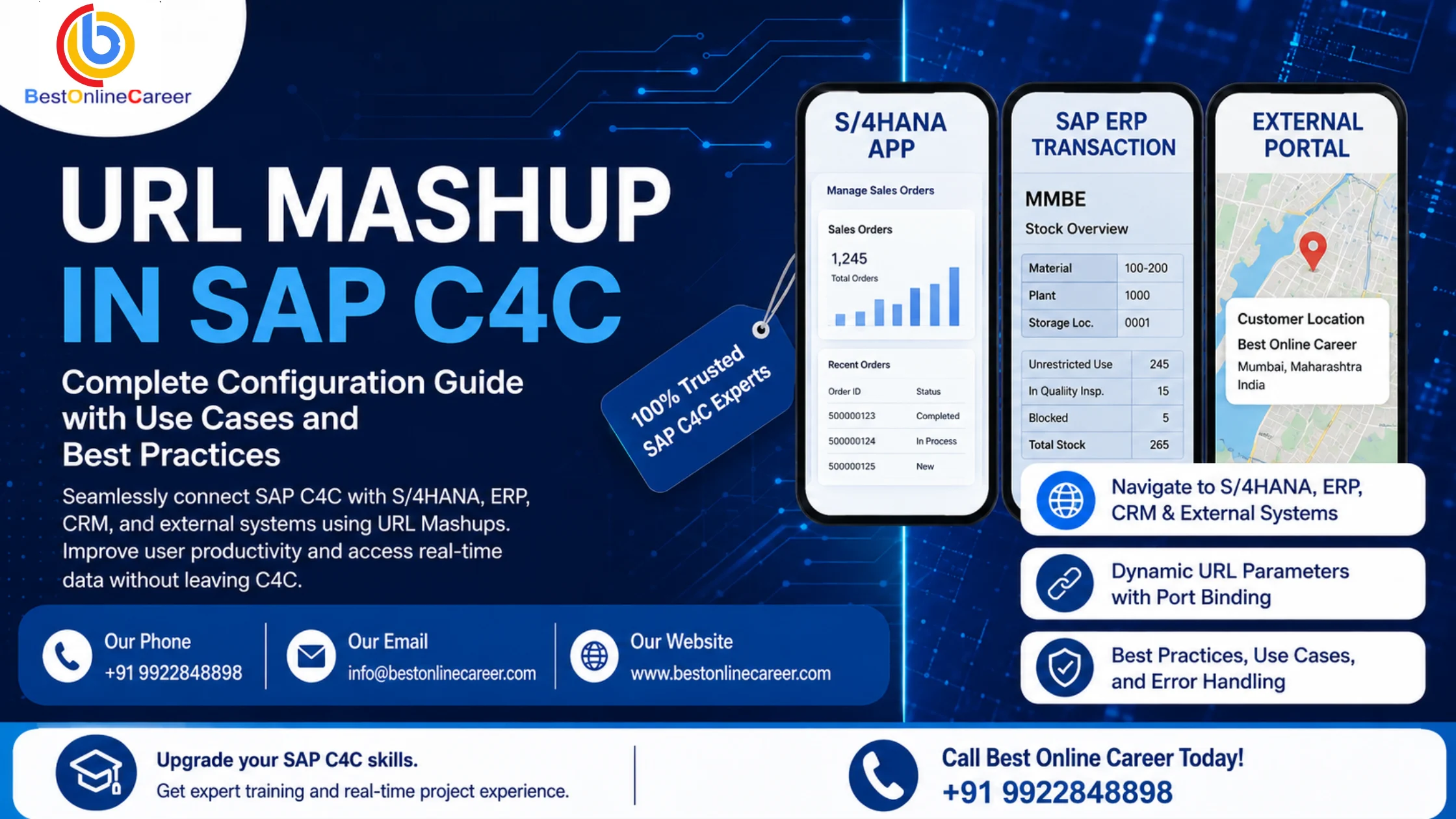
In many business environments, the sales orders or the sales related pricing information remains in S/4HANA after C4C is implemented. Using a URL Mashup, a user can access the relevant S/4HANA application from the C4C opportunity or Account screen, for example, the application "Manage Sales Orders."
2. C4C to SAP CRM On-Premise
For businesses that are progressively moving away from SAP CRM to C4C, mashups provide a solution to view Account, Case, or Lead information in the former CRM system using the parameters crm-object-type, crm-object-value, and crm-object-keyname.
3. Launching ERP Transactions
A popular example of this is launching C4C to access the ERP T-Code MMBE (stock overview) directly from a C4C sales order, which allows the sales or service team to check stock availability.
4. Other Tools and Portals
Typically, these mashups link other tools and portals for viewing customer locations in Google Maps, researching contacts in LinkedIn, and viewing product documentation in other knowledge portals.
URL Mashup Configuration Common Issues
These issues tend to come up even for individuals with lots of experience.
- "This content is blocked" errors – This is typically a result of certain domains not being added to Trusted Domains list.
- Parameter mapping issues – This will typically lead to the mashup displaying a blank page or the incorrect record.
- CORS issues with S/4HANA or other systems – This generally calls for checks on both C4C and the target system security settings.
- Port binding issues – This will lead to the mashup displaying in the incorrect window or will not refresh with the record that is currently active.
Handling the above issues makes up a good portion of the work that a consultant will do in relation to supporting SAP C4C. This makes configuring URL Mashups a practical skill.
Things to Consider When Configuring URL Mashups
- Always ensure that mashups are tested in a sandbox tenant before ever being deployed to production.
- Use a naming convention that is clear and is concise yet friendly to end-users as these will be visible to them.
- Include notes to outline parameter mappings to assist with future updates.
- Always check the trusted domain settings to ensure that the mashups will never block content.
- For best practice, refrain from hard coding user names and tokens into the URL.
Career Implications
Being able to configure Mashups (specifically URL Mashups) is a major component of the role of a functional and technical consultant for SAP C4C. There are high levels of demand for roles that are skilled in C4C extensibility as they cover mashups, adaptation and Cloud Application Studio within both implementation and support roles.
SAP C4C consultants with practical configuration knowledge, including skills in mashup authoring, receive better project assignments and do better in interviews compared with consultants with only theoretical knowledge. Structured SAP C4C training programs teach practical skills such as configuration of service, sales, and marketing modules.
Frequently Asked Questions (FAQs)
Q1. What is the difference between URL mashup and HTML mashup in SAP C4C?
With a URL mashup, you can create a link to an external location and set the external link to be dynamic. An HTML mashup lets you embed your own HTML, CSS, and JS in the C4C screen, creating custom mashups that are dynamic.
Q2. Where can I configure a URL mashup in SAP C4C?
To create a URL mashup, go to the Administrator Work Center, then to Mashup Authoring. There, you can create, test, and activate your mashup and assign it to a screen.
Q3. Why does my URL mashup show "This content is blocked"?
This will generally occur if the domain to which your mashup is linking is not on the Trusted Domains List, located in Settings, General, Content Security Policy.
Q4. Can a URL mashup connect SAP C4C and S/4HANA?
Yes. Using a URL mashup, you can configure a C4C mashup to launch an S/4HANA app or an ERP transaction and set the Account ID or Sales Order Number (or both) for your mashup.
Q5. Is coding knowledge required to create a URL mashup?
No. Unlike HTML or REST mashups, configuring a URL mashup does not involve coding. You simply configure the base URL, include any required URL parameters, and specify the C4C field mappings.
SAP C4C URL mashups allow businesses to integrate external systems like S/4HANA and legacy CRMs. Learning to configure URL mashups better prepares consultants for job interviews.
If you'd like to construct practical skills in SAP C4C in addition to mashup authoring, extensibility, and the core module configuration, the most effective way will be to participate in structured workshops based on real project scenarios.
For SAP C4C training and career guidance, reach out to Best Online Career via email at info@bestonlinecareer.com or by phone at +91 9922848898.
Related SAP Training Courses
Tags
Share this article
Help others discover this valuable SAP content