
SAP Fieldglass Login Explained: Features, Benefits & SAP Fieldglass Online Training
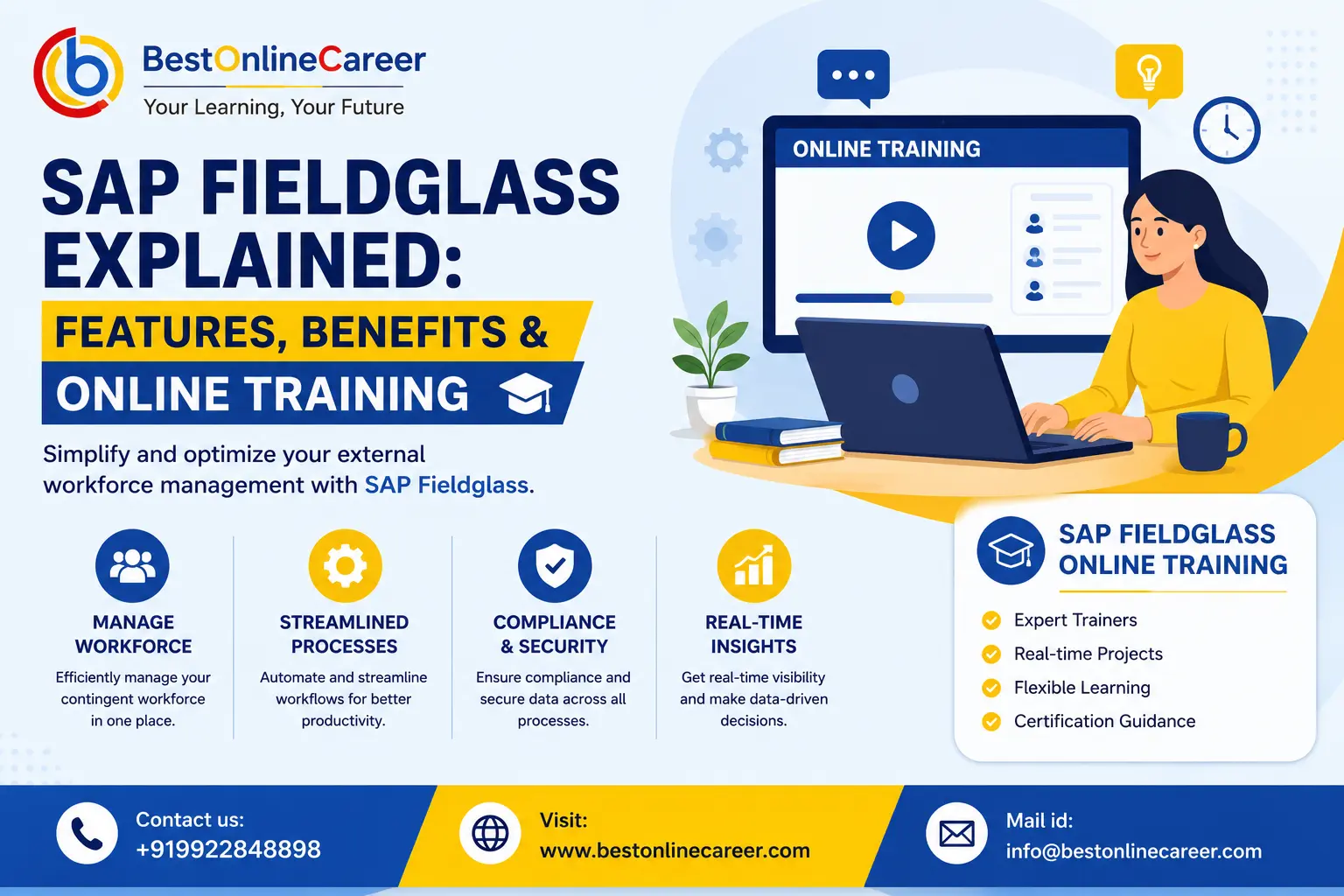
Complete Guide to SAP Fieldglass: Login Process, Features, Benefits, and Online Training
The workforce of today doesn't comprise full-time employees. Consultants, freelancers and contractors and third-party service suppliers are now a large part of the work accomplished in large corporations. Managing this large workforce together with the agencies and vendors who are supplying it -- takes more than email chains and spreadsheets. It requires a system that is designed for efficiency, compliance and transparency.
If you're an employee who is logging into the platform for the very first time, or an HR manager who is trying to figure out what the platform is capable of and how to submit invoices, or an individual looking to build a career around SAP tools, this article provides everything you require to know about accessing SAP Fieldglass, how to access the SAP Fieldglass login portal, what you should do if you encounter SAP Fieldglass login issues, as well as the main features of the platform, the business benefits it provides, and how SAP Fieldglass online training can assist you in turning your Fieldglass expertise into a job advantage.
What Is SAP Fieldglass and Why Is It Important?
SAP Fieldglass is a cloud-based accessible Vendor Management System (VMS) which helps companies source and manage their workforce outside of the organization. This can include contingent workers like temporary employees as well as freelancers, independent contractors, consultants, and the personnel agencies and vendors who provide them. Fieldglass extends to Services Procurement, giving companies a method to control projects that have an outcome based on Statements of Work (SOW) for consulting engagements, IT-related projects, or marketing campaigns run by third-party businesses.
In contrast to traditional HR software that concentrates on permanent employees, SAP Fieldglass was purpose-built for the challenges of managing a non-employee workforce. It sits in the middle of human resources, procurement, finance, and legal compliance. That's precisely why large multinational corporations depend on it.
Here's why it is important. The working population is changing as studies across sectors consistently show an increasing proportion of workforce spending being spent on contract and contingent labor. Without an organized system the spending is hard to monitor, audit or improve. Risks of compliance are also real. Incorrectly classifying employees, not meeting deadlines for contract renewals, or not meeting local labor laws can expose businesses to substantial legal and financial penalties, and Fieldglass can automate a large portion of the monitoring. Cost visibility helps in making better decisions, because when labor-related spending is distributed between departments and vendors, management is unable to comprehend the entire picture. Fieldglass can consolidate this data into one source of information. The accountability of vendors also increases due to the fact that standard workflows hold hiring organizations and providers to the same standard of performance and billing, which reduces disputes and improves quality of services. The platform is also integrated with the larger SAP ecosystem, connecting to SAP S/4HANA, SAP Ariba, along with SAP SuccessFactors, so that procurement as well as finance and HR data can be synchronized instead of being scattered across silos. It can also support global operations because large corporations that operate across multiple nations require a system that is flexible to various currencies as well as tax structures, languages and labor laws. In addition, it decreases dependence on manual processes, which are often error-prone. Before implementing a VMS, many organizations handle contingent labor using a mix of emails, spreadsheets, and informal relationships with vendors, which isn't scalable and causes blind spots that Fieldglass is created to remove.
How to Access the SAP Fieldglass Login Portal
Contrary to many consumer platforms that have one login page for all users, SAP Fieldglass is deployed as a unique instance for each customer's company. So, your SAP Fieldglass login experience will usually be based on the specifics of your employer or client's configuration, not a standard one-size-fits-all portal.
There are three kinds of users that log into Fieldglass, and each accesses the site via a different route. Internal employees, such as the hiring manager, purchasing personnel as well as HR personnel, utilize Fieldglass to source workers, approve timesheets, or manage relationships with vendors. Contractors and external workers log in to submit timesheets, check availability, and track assignment information. Representatives of staffing agencies and vendors utilize the portal to submit candidates, manage worker profiles, and submit invoices.
Since access is usually dependent on a company-specific URL and is often connected to the corporate identity system, it's essential to obtain your login credentials directly from your employer contact, recruiter, or vendor contact, rather than searching for an unrelated SAP Fieldglass login page on the internet. It's also important to know that Fieldglass accounts are usually set up by an administrator, instead of self-registered. So your first login will usually be preceded by an activation or invitation email that contains the exact URL and instructions to set up your account safely.
Step-by-Step SAP Fieldglass Login Process
Although the experience may differ slightly based on the configuration of your company, the general SAP Fieldglass login process is fairly standard. Start by obtaining your organization-specific Fieldglass URL, usually shared via a welcome email, onboarding packet, or directly by your HR, procurement, or vendor management contact. It's usually a customized subdomain that is linked to your company's Fieldglass instance. Then, go to the login page using any supported browser like Chrome, Firefox, or Edge to enjoy the smoothest experience.
Next, enter the username you have been assigned, which is usually your company or registered email address; however, some companies use a distinct Fieldglass username. Then enter your password. If this is your first time logging in, you might be asked to set up a password according to your organization's security policies, such as specific characters or minimum length. If your company has set up single sign-on, then you'll be directed to their standard login page instead of entering your credentials directly into Fieldglass, as many companies connect the platform to their own identity provider such as Okta, Azure AD, or an internal SAML system. Depending on your company's settings, you may also need to complete Multi-Factor Authentication, which could require a unique passcode sent by email, SMS, or an authenticator app.
Users who are new to the platform, including vendor representatives and contractors, might also be required to read and sign use and data privacy policies prior to moving forward. Once you've been authenticated, you'll land on a dashboard suited to your role, which will display open requests, pending approvals, current tasks, and due timesheets or invoices that need to be processed, depending on whether you're an employee, vendor, or contractor. Many people also use this area to update their contact details, notification preferences, and, if applicable, their bank or payment details for timesheet reimbursement. Finally, since URLs are organization-specific, it's a good idea to bookmark your SAP Fieldglass login link rather than relying on memory or search engines, which may lead you to the wrong instance or an outdated link.
Common SAP Fieldglass Login Issues and Troubleshooting Tips
Even with a well-designed platform, login problems are among the most frequently encountered issues in any enterprise system. The most common issue is using an incorrect URL. Since every company has its own unique Fieldglass instance, entering an unrelated or remembered URL from a previous employer or an internet search result usually results in an error page, or worse, an unrelated company's site, so it's important to verify the correct URL for your current company.
Forgotten passwords are another frequent issue, easily solved by clicking the "Forgot Password" link on the login screen, which usually sends a reset email to your registered address. If it isn't delivered within a few minutes, check your spam folder before contacting support. Account lockouts may also happen after multiple failed login attempts, because Fieldglass, like most enterprise systems, locks accounts for security. You may need to wait out a cooling-down period or contact your Fieldglass administrator to unlock the account manually.
SSO redirect loops or authentication errors occasionally affect organizations that rely on Single Sign-On. If you're stuck in a redirect loop or encounter an authentication error, try clearing your browser's cookies and cache, or try logging in using an incognito or private window. Most of these issues stem from the identity provider side and should be reported to IT. Browser compatibility issues are another frequent cause, as older or unsupported browsers can cause pages to load incorrectly, buttons to become unresponsive, or forms to fail on submission. Keeping your browser updated resolves most of these problems.
Inactive accounts can hold up new users, whether vendor or contractor, who must complete the activation process triggered by a welcome email containing a unique activation link. If this process isn't completed or the link expires, a new activation email may be required. Session timeouts are also worth noting, since Fieldglass sessions usually end after a period of inactivity for security reasons. If you're logged out mid-task, simply log in again, though anything unsaved, such as an incomplete timesheet, will need to be re-entered, so it's wise to save often.
Sometimes login succeeds, but the user can't view the expected features or data, which usually points to a role or permissions configuration issue rather than a login problem, and should be resolved by your Fieldglass administrator. VPN and network restrictions can also hinder access, as some companies require users to connect to the corporate VPN in order to use Fieldglass, particularly for internal employees. If you're working remotely and can't reach the login screen, check whether VPN access is required.
Contractors who have worked with the same company across several assignments may end up with duplicate or expired accounts. If your login credentials stop working despite an active assignment, it's a good idea to raise the issue with your vendor manager. Email delivery delays can also create confusion, as activation or password reset emails may be delayed by corporate spam filters and routing policies. If an expected email hasn't arrived after 15 to 20 minutes, it's reasonable to request that it be resent. In addition, using the wrong email address can cause login problems if someone was invited using a personal email but tries logging in with a work email, or vice versa, so always double-check the email address the invitation was originally sent to.
| Login Issue | Likely Cause | Suggested Fix |
|---|---|---|
| Wrong or unreachable URL | Using a remembered or searched URL instead of the company-specific one | Confirm the correct SAP Fieldglass login link with your HR, vendor, or procurement contact |
| Forgotten password | Standard password recall issue | Use "Forgot Password" and check spam folder for the reset email |
| Account lockout | Multiple failed login attempts | Wait out the cooldown period or contact your Fieldglass administrator |
| SSO redirect loop | Identity provider (Okta, Azure AD, SAML) issue | Clear cookies/cache, try incognito mode, or report to IT |
| Page or form not loading correctly | Outdated or unsupported browser | Update your browser or switch to a supported one |
| Can't complete first login | Activation link expired or unused | Request a new activation email |
| Logged in but missing features/data | Role or permissions misconfiguration | Contact your Fieldglass administrator |
| No access from home network | VPN requirement for internal employees | Check whether corporate VPN access is mandatory |
Key Features of SAP Fieldglass
SAP Fieldglass is built around two key elements: managing contingent labor and managing procurement of services, supported by a variety of tools for monitoring, compliance, and reporting.
Ready to Start Your Learning Journey?
Join thousands of learners and build your future with expert-led courses and 100% practical training.
Expert Guidance
Learn from industry experts
Trusted & Recognized
Top-rated by learners
Flexible Learning
Online options
Placement Support
Career support & more
Vendor Management and Contingent Workforce Management
This is the work Fieldglass was designed to accomplish: give organizations control to recruit and manage talent that is not employee-based. Centralized vendor onboarding enables firms to bring staffing companies and their suppliers into the system, with standard profiles, contract terms, and performance expectations, removing the inefficiencies of offline processes. Job posting and requisition workflows allow hiring managers to create job requisitions that are automatically routed to approved suppliers, who then submit qualified candidates through Fieldglass. Candidate submission and selection tracking let hiring managers and recruiters evaluate, compare, and select candidates within Fieldglass, providing a complete trace of the decision process.
Worker and assignment lifecycle management tracks every contingent worker's assignment details from onboarding to offboarding, including start and end dates, rate cards, and extensions. Timesheet and expense management lets workers record hours and expenses electronically, which are then processed through a configurable approval workflow. Worker classification and compliance monitoring helps identify possible risks, like workers nearing tenure limits that could trigger reclassification obligations under local labor laws.
Budget controls and rate cards let organizations set acceptable rates by job, location, or level, preventing overspending and rate creep across vendors. Vendor and worker performance analytics give HR and procurement teams scorecards and dashboards to determine which vendors are providing top-quality talent on time and on budget. For organizations working with Managed Service Providers that oversee multiple sub-vendors, multi-tier vendor management allows for layered vendor hierarchies with appropriate transparency at every level. Flexible approval workflows can be configured so the approval chain for requests, timesheets, and rate adjustments matches internal governance requirements, whether that's a single approver or a full chain.
Together, these capabilities replace what was once a manual, fragmented, and error-prone process with a well-organized, auditable system.
Services Procurement and Statement of Work (SOW) Management
Beyond staffing, many businesses depend on outside firms to complete outcome-based or project-based work, such as consulting engagements, software development projects, or marketing initiatives. SAP Fieldglass' Services Procurement module was designed specifically to handle this type of spend. Structured SOW creation lets users draft detailed statements of work that define scope, deliverables, timelines, and payment terms, ensuring clear communication between the purchasing organization and the supplier from the start. Deliverable and milestone tracking ties payments to the achievement of specific milestones rather than just hours worked, increasing accountability.
Budget and spend management tied to outcomes helps procurement and finance teams monitor expenditure in real time against the approved SOW budget, flagging overruns before they become problematic. Invoice reconciliation compares supplier invoices against agreed milestones or rates, reducing billing disputes and manual reconciliation work. Change order management provides a formal way to propose and approve changes whenever project scope shifts, while keeping a clear record of how and why timelines or costs changed.
Risk mitigation through approval workflows ensures major expenditures or scope changes receive proper oversight through multiple levels of approval before action is taken. Supplier collaboration tools let service providers track project status, submit deliverables, and communicate directly with buyers on the platform, reducing reliance on scattered email threads. Additionally, since past SOWs and their outcomes are archived within the system, historical project data and benchmarking give procurement teams a reference point for performance and pricing when negotiating future engagements.
This structured approach is especially useful for businesses that contract consultants, IT service providers, or other agencies for complex, multi-phase projects where scope creep and cost overruns are the most common risks.
Top Benefits of Using SAP Fieldglass for Businesses
Companies that use SAP Fieldglass typically report measurable improvements across several areas of their business. Cost savings and spend control result from consolidating contingent labor and services spend into one system, giving organizations the insight needed to spot inefficient spending, negotiate better rates with vendors, and reduce off-channel spending. Stronger compliance with policies and regulations results from automated tracking of worker classification, tenure limits, and contract terms, significantly reducing the risk of costly compliance violations, especially for businesses operating across countries with varying labor laws.
Operational efficiency improves by replacing paper-based or manual processes for vendor onboarding, timesheet approval, and invoice handling with streamlined digital workflows, freeing employees to focus on higher-value tasks. Increased data visibility and reporting gives procurement managers, finance and accounting teams, and executives a clear, unified picture of workforce spend, vendor performance, and program performance, along with insights that were previously inaccessible or impossible to gather manually.
Scalability across the organization means Fieldglass can support a business managing a few hundred contingent workers or tens of thousands across multiple countries, without a proportional rise in administrative overhead. Stronger vendor relationships and accountability result from standardized processes and performance scorecards, making it easier to build transparent, fair, data-driven relationships between businesses and their service or staffing partners.
Faster time-to-fill for critical roles results from automated requisition routing and candidate submission workflows that let organizations fill contingent positions more quickly, particularly for time-sensitive projects. Integration with core business systems ensures data doesn't need to be manually re-entered across platforms, reducing errors and administrative burden, since Fieldglass connects to other SAP products as well as third-party financial or HR systems. Better audit readiness comes from having every request, approval, timesheet, and invoice documented within the system, positioning organizations well for external or internal audits without having to reconstruct records. Additionally, strategic workforce planning is supported by aggregated data on contingent labor usage, helping leadership make more informed decisions about when to use contingent talent versus permanent employees, and where savings opportunities exist.
Who Should Learn SAP Fieldglass? Career Opportunities and Required Skills
As more businesses implement Vendor Management Systems to handle their growing contingent workforce, demand continues to rise for professionals who can manage, configure, and optimize systems like SAP Fieldglass. This is valuable knowledge for a range of careers, including procurement and vendor management professionals who use Fieldglass daily to manage supplier relationships and contingent labor costs, as well as HR and talent acquisition professionals, particularly those working on contingent or workforce planning programs. SAP functional analysts and consultants help organizations implement, adapt, and configure Fieldglass to meet their specific business needs.
It's also relevant for operations and supply chain managers, particularly in sectors with heavy reliance on contract labor or project-based services; IT professionals, especially those involved in SAP integrations, single sign-on configuration, and system administration; and program managers who oversee Managed Service Provider relationships and depend on Fieldglass data to measure program effectiveness. Finance and accounts payable professionals who handle reconciliation and invoicing tied to contingent labor spend, along with business analysts and reporting specialists who design and manage the dashboards leadership relies on for workforce spend visibility, round out the list of those who benefit from Fieldglass knowledge.
To work effectively with SAP Fieldglass, whether as a daily user or an implementation consultant, professionals generally benefit from a solid understanding of procurement and workforce management fundamentals, including how requisitions, approvals, and vendor contracts typically flow through an organization. Familiarity with the wider SAP ecosystem is helpful, since Fieldglass is often integrated with tools like SAP Ariba, SAP SuccessFactors, and SAP S/4HANA. Reporting and analysis skills matter too, particularly the ability to interpret workforce data and turn it into useful business insight.
Understanding labor laws and classification issues is crucial for those working in multinational companies with different local regulations. System administration and configuration skills are important for those pursuing more technical or consultative career paths. Strong communication skills are needed across the board, since Fieldglass touches multiple stakeholders, including finance, HR, procurement, legal, and external suppliers, all of whom need to stay aligned. Project management fundamentals are especially useful for those working on the Services Procurement and SOW side of the platform, and adaptability matters as well, since Fieldglass instances are often configured differently from one organization to the next, requiring professionals to quickly learn organization-specific setups.
Because Fieldglass sits at the intersection of so many business processes, those who understand it well often find strong value in HR technology, procurement, and SAP consulting careers.
How SAP Fieldglass Online Training Helps You Build a Successful Career
Given how specialized and complex SAP Fieldglass configurations can be, structured SAP Fieldglass online training is often the best way to develop real expert-level knowledge, and it tends to work better than trying to learn the platform through trial and error on the job.
A well-designed SAP Fieldglass online training program generally covers basic login and platform navigation, making sure learners understand the complete user experience, from the first SAP Fieldglass login through day-to-day use, as well as vendor management workflows, including how to set up vendor onboarding, requisition routing, and approval hierarchies. The program also covers Services Procurement and SOW management, explaining how to create, track, and reconcile complex, outcome-based engagements, along with timesheet, expense, and invoice processing. It gives participants hands-on exposure to the financial processes that keep contingent labor programs running efficiently.
Good SAP Fieldglass training programs also focus on analytics and reporting, teaching students how to build and interpret dashboards that support data-driven decisions. They also cover system administration and configuration for those pursuing more technical or consultancy-oriented roles. Practical case studies and hands-on simulations let learners work through scenarios that reflect real business problems rather than simply reading documentation, and lessons on integration principles explain how Fieldglass connects to other SAP modules and third-party systems. Risk and compliance modules help learners understand how the platform supports labor law adherence across different regions. Best practices drawn from real-world implementations, typically taught by instructors with hands-on program management experience, offer insights that go beyond a standard user manual.
Beyond the technical training itself, high-quality SAP Fieldglass training programs usually offer several career-growth advantages. Flexible scheduling lets professionals build new skills around existing jobs and personal commitments instead of requiring time off work. Certification upon completion gives employers tangible proof of platform proficiency, and many programs offer an official certificate that can be added to a resume or LinkedIn profile. Practical, job-ready skills come from training that emphasizes real-world exercises reflecting the daily reality of working with Fieldglass, rather than pure theory.
Online training also opens doors to new career paths, as professionals with demonstrated Fieldglass skills are well positioned for roles in procurement operations, HR technology, and SAP consulting as more companies adopt VMS platforms. Mentorship and networking opportunities are another benefit, since most training providers connect students with instructors or peer groups who offer support beyond the course material itself. Fieldglass knowledge often becomes a foundation for broader SAP career growth, since companies are always looking for people who can work across multiple SAP modules. Structured training builds confidence for interviews and on-the-job performance by shortening the learning curve once you're working on a real Fieldglass instance, helping new employees or consultants become productive faster.
Ultimately, investing in structured SAP Fieldglass training does more than teach you to navigate the system. It builds a foundation in procurement compliance and workforce management skills that translate directly into career advancement opportunities in one of the fastest-growing areas of enterprise tech.
Whether you're trying to complete your SAP Fieldglass login for the very first time, exploring the platform's capabilities to understand how your company manages its non-employee workforce, or considering formal SAP Fieldglass online training to build a career around the software, the fundamentals covered in this guide are a solid starting point. As contingent workforce management continues to grow across industries, becoming proficient in software like SAP Fieldglass isn't just useful, it's becoming an important professional asset.
Related SAP Training Courses
Tags
Share this article
Help others discover this valuable SAP content