SAP CPI iFlow explained: types, design patterns, and real-world examples
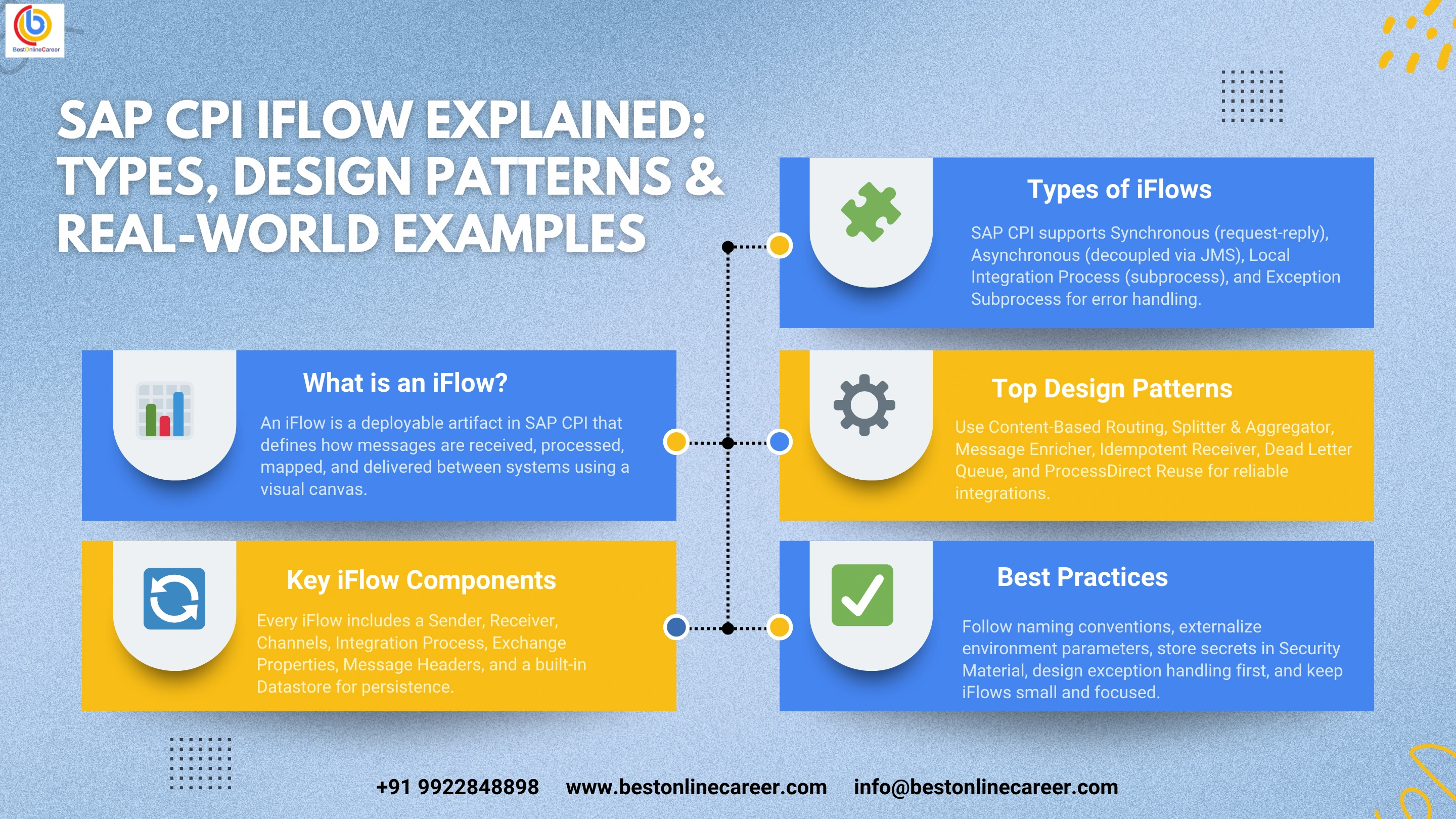
SAP CPI iFlow Explained: Types, Design Patterns, and Real-World Examples
If you have worked on an SAP Integration project, you have almost certainly encountered the term iFlow. This guide covers what an iFlow is, how it functions within the SAP Integration Suite, the key component types, proven design patterns, and practical implementation examples drawn from real production scenarios.
How iFlow Fits into the SAP Integration Suite
SAP Integration Suite is SAP's cloud-based integration platform designed to connect systems within and outside the SAP ecosystem. It is not a single product but a collection of capabilities that work together:
- Cloud Integration — where iFlows reside and execute
- API Management — controls and secures APIs exposed to consumers
- Open Connectors — pre-built connectors to third-party SaaS applications
- Integration Advisor — assists in defining B2B message mappings based on industry standards
- Event Mesh — handles asynchronous, event-driven communication using the publish-subscribe model
The iFlow is a native feature of Cloud Integration. When you create an iFlow in the web-based design UI, it produces a deployable artifact that the Cloud Integration runtime picks up, executes when triggered, and monitors in real time.
SAP CPI was developed to replace the on-premise SAP Process Integration and SAP Process Orchestration platforms, which required dedicated infrastructure, specialist administration, and complex Java development. The iFlow is the central concept that enables this shift, allowing developers to work visually — dragging steps onto a canvas, configuring adapters through forms, and writing custom Groovy or JavaScript only where it is genuinely needed.
Key Components of an iFlow
An iFlow is built from a set of components placed on a graphical canvas in the CPI web interface. Together they define the complete message lifecycle, from entry into the integration runtime through to delivery at the destination.
Sender
The sender is the endpoint or system that initiates the message. It may be an SAP S/4HANA application pushing an IDoc, an external application calling an HTTP endpoint exposed via CPI, a scheduler activating the flow at a scheduled time, or a JMS queue passing a message for processing. The sender always appears on the left side of the iFlow canvas and connects to the integration process via the sender channel.
Receiver
The receiver is the system or endpoint that ultimately receives the processed message. This could be a REST API, an SFTP server, an SAP system accepting IDocs, a mail server, or another CPI iFlow via the ProcessDirect adapter. The receiver is positioned on the right side of the canvas and connects through a receiver channel.
Sender and Receiver Channels
Channels define the communication protocol and connect the iFlow to external systems. SAP CPI provides a broad set of adapters covering HTTP, HTTPS, SOAP, IDoc, OData, SFTP, FTP, AS2, AS4, JMS, AMQP, Kafka, JDBC, Mail, and others. Each adapter has its own configuration screen for endpoint URLs, authentication methods, timeouts, and protocol-specific options. Misconfigured timeout and authentication settings are among the most common causes of production failures.
Integration Process
The integration process is the main canvas where all processing steps are arranged in sequence. It has a start event on the left and an end event on the right. A single iFlow can contain multiple integration processes — a primary process and one or more subprocesses for exception handling or reusable logic.
Exchange Properties
Exchange properties are variables created and maintained for the duration of a single iFlow execution. They persist from start to finish and are accessible in every step, every Groovy script, and every conditional expression. They are the primary mechanism for carrying contextual data between stages — correlation IDs, status flags, or values retrieved from external systems. Unlike message headers, properties are not altered or removed when the message body transforms.
Message Headers
Message headers are key-value pairs attached to the message that any step can read or write. They typically carry protocol-specific metadata such as HTTP status codes, content type declarations, and authentication tokens. Custom headers can also be defined. Because some adapters strip or modify headers, exchange properties are generally the safer option for carrying business-critical data across the full flow.
Datastore
The Datastore is CPI's built-in persistence mechanism, used to store and retrieve data across multiple iFlow executions. Common uses include idempotency checks, retaining the last successful polling timestamp, and maintaining small lookup tables that do not require an external database. Data stored here is tenant-specific and survives iFlow redeployments and restarts.
Types of iFlows in SAP CPI
The type of iFlow you choose directly affects error handling behaviour, resource allocation, monitoring data available in the operations control panel, and what actions the runtime can take on your behalf.
Synchronous iFlow
A synchronous iFlow operates in request-reply mode. A system sends a request to an HTTP or SOAP endpoint exposed by CPI, the iFlow processes the message, and a response is returned before the HTTP connection closes. The entire processing must complete within the configured timeout — typically 60 minutes for HTTP, though this can be extended with certain adapter configurations.
Synchronous iFlows are well suited to API gateways, real-time validation, enrichment lookups, and any scenario where the caller must know the outcome before proceeding. Because the connection remains open throughout processing, long-running operations, large payload transformations, or slow external calls increase the risk of timeouts.
Asynchronous iFlow
An asynchronous iFlow decouples the sender from the processing. The sender transmits a message — typically via HTTP POST or IDoc push — and receives an immediate acknowledgement that the message was received. Actual processing takes place separately, after the sender has disconnected.
The most robust asynchronous structures pair an inbound iFlow with a JMS queue. The inbound flow writes the message to the queue and acknowledges the sender immediately. A separate outbound iFlow reads from the queue and handles all processing including retries. If the target system is temporarily unavailable, messages remain in the queue rather than being lost.
Local Integration Process
A Local Integration Process is a subprocess contained within the same iFlow artifact as its parent. It cannot receive messages from external systems and is only callable from within the iFlow. It shares the same exchange properties and message context as the parent. This is useful for grouping related steps into a named block for readability, or for applying a specific error-handling strategy to a subset of steps within a larger flow.
Exception Subprocess
The Exception Subprocess activates automatically when an unhandled exception is thrown within the parent integration process. It has access to the exception object, the message, and all headers and properties that were set before the error occurred. A well-designed Exception Subprocess logs the error, saves the failed payload to a JMS dead-letter queue or CPI Datastore, sends an alert to the operations team, and returns a properly formatted error response to the caller if the flow is synchronous. Every iFlow deployed to production should include an Exception Subprocess.
SAP CPI iFlow Design Patterns
The following patterns appear consistently across real SAP CPI projects. Understanding them gives you a shared vocabulary for discussing integration architecture and a reliable foundation for design decisions.
Content-Based Routing
Used when a single message type must be routed to different destinations or processed differently based on message content. The Router step evaluates XPath conditions against the message body in sequence, top to bottom, and the first match wins. Always define a default route to handle unmatched cases — either by logging and discarding the message or sending it to an error queue.
Splitter and Aggregator
Used when a source system sends a batch containing hundreds or thousands of records but the target system accepts only one record per call. The Splitter breaks the batch into individual messages, each of which is mapped and processed independently. The Aggregator combines the results. In high-volume scenarios, the Iterating Splitter with parallel processing enabled can significantly reduce overall run time. Choose the aggregation completion strategy carefully — a timeout-based strategy is safer than a count-based one, as it handles the case where one split message fails and never reaches the aggregator.
Message Enricher
Used when a message does not contain all the data required by the target system and that data must be retrieved from a third party. For example, an inbound order may include a customer ID but not a full billing address. The iFlow uses a Request Reply step to call an external customer API or query a CPI Datastore, retrieves the missing data, and incorporates it into the message body before passing it forward.
Idempotent Receiver
Required in asynchronous scenarios where retry logic is in place. When a network failure causes a message to be retried, there must be a mechanism to prevent the same business transaction from being processed twice. CPI's Idempotent Process Call step uses a unique message key — typically a business document number or UUID — to check whether that key has already been processed successfully. If it has, the duplicate is silently discarded. Set a retention period for stored keys that covers the full retry window but does not allow the Datastore to become a performance bottleneck.
Dead Letter Queue
Ensures that messages failing after all retry attempts are preserved for manual or automated reprocessing rather than being lost permanently. The Exception Subprocess writes the failed message body and relevant properties — error message, timestamp, original sender details — to a JMS queue or CPI Datastore. Operations teams can then review, correct, and resubmit the message. Without this pattern, a configuration error or temporary system outage can result in unrecoverable data loss in an asynchronous integration landscape.
ProcessDirect Reuse
Allows common integration logic to be placed in a dedicated subprocess iFlow that multiple parent iFlows can call via the ProcessDirect adapter. The subprocess exposes a ProcessDirect sender adapter configured with a fixed address string. Any parent iFlow calls it using a ProcessDirect receiver adapter with the same address. This enables a modular structure where shared concerns — OAuth token refresh, error formatting, field validation, audit logging — are maintained in one place and reused across the integration landscape.
Real-World SAP CPI iFlow Examples
Example 1: SAP S/4HANA Sales Orders Synced to Salesforce
A manufacturing company needs sales orders created in SAP S/4HANA to appear as opportunities in Salesforce within five minutes of creation.
The iFlow is asynchronous and scheduler-triggered. A timer fires every five minutes and initiates the flow. The first step calls the S/4HANA OData API to retrieve orders created after the last successful polling timestamp, which is maintained in the CPI Datastore and updated at the end of each successful run. An Iterating Splitter divides the result into individual order records. A Message Mapping artifact transforms S/4HANA field names into Salesforce Opportunity object fields, including currency conversion for the order value.
Before calling the Salesforce REST API, a Groovy script checks the Datastore for the order number as an idempotency key. If already processed, the record is skipped. If new, the HTTP adapter calls Salesforce using OAuth 2.0 credentials stored in the CPI Security Material store. A successful response logs the created or updated Opportunity ID. On failure, the Exception Subprocess captures the failed record, writes it to a Datastore for manual review, and sends an email alert to the integration operations team.
Example 2: Vendor Invoice File Ingestion via SFTP
A procurement department receives daily supplier invoices via SFTP in CSV format, with each file containing up to two thousand invoice lines. Each line must be posted to SAP ERP as an individual FI document.
The iFlow uses an SFTP sender adapter polling hourly between 6am and 10am on working days. The adapter scans for files matching the pattern VENDOR_INV_*.csv and processes them one at a time. A Groovy script parses each CSV line-by-line, converts each line to XML, and assembles a parent XML document containing all invoice line elements. The Iterating Splitter then divides these into individual messages. Each message passes through an XML mapping step that transforms it into an IDoc FIDCCP02 segment, which the IDoc adapter forwards to SAP ERP via a configured RFC destination.
After all lines are processed, the final step moves the source file on the SFTP server from the inbox folder to an archive folder. The Exception Subprocess handles individual line failures by writing the failed line and a timestamp to the CPI Datastore, then sending an email summary at the end of each file run listing successful and failed line counts.
Example 3: External REST API to SAP IDoc — Inbound Purchase Order
A logistics partner sends purchase orders in JSON format over HTTP to an endpoint exposed via SAP CPI. SAP ERP accepts purchase orders only as IDoc ORDERS05 messages.
The HTTP sender adapter is configured with client certificate authentication. The first processing step runs a Validator that checks the incoming JSON against a defined JSON Schema — any non-conforming payload is immediately rejected with an HTTP 400 response containing a structured error message, protecting the SAP backend from malformed data. A Content Modifier then stores the partner's correlation number from the HTTP request header as an exchange property for use in the response and audit log.
The JSON is converted to XML. A Groovy script enriches the XML by looking up the SAP plant code from a Datastore map table using the partner's warehouse code as the key — a field SAP ERP requires but the partner does not supply. A Message Mapping step transforms the enriched XML into the IDoc ORDERS05 structure, which the IDoc adapter sends to SAP ERP. On success, a Content Modifier sets the response body to a JSON acknowledgement object containing the created IDoc number and the partner's original correlation ID, returned as HTTP 200. If any step fails, the Exception Subprocess sets the response body to a standard JSON error object and returns HTTP 500.
SAP CPI iFlow Design Best Practices
Establish Naming Conventions Early
A consistent naming format applied from the start makes every iFlow immediately readable without opening it. A format such as SOURCESYSTEM_TO_TARGETSYSTEM_OBJECT_VERSION — for example, S4_TO_SF_SalesOrder_v01 — communicates purpose at a glance. Apply the same convention to message packages, value mappings, and script files across the entire team.
Externalize Every Environment-Specific Parameter
SAP CPI's Externalized Parameters mechanism allows endpoint URLs, queue names, polling schedules, and threshold values to vary per deployment without maintaining separate iFlow versions. Without this, hardcoded production endpoints in a single iFlow artifact will eventually result in test data being sent to production systems — a scenario that occurs more frequently than most teams expect.
Use the Security Material Store for All Credentials
Store all passwords, API keys, OAuth client secrets, client certificates, and SFTP known hosts in the CPI Security Material store and reference them by alias in adapter configurations. Credentials placed in exchange properties, Content Modifier values, or iFlow configuration parameters are visible in message processing logs and accessible to anyone with read access to the iFlow.
Design Exception Handling Before the Happy Path
Before placing a single processing step on the canvas, work through the failure scenarios: malformed inbound messages, unavailable target systems, network timeouts, and duplicate messages. Defining the Exception Subprocess, retry configuration, and dead-letter strategy in advance produces more reliable iFlows than retrofitting error handling after the main logic is built.
Keep iFlows Small and Focused
Each iFlow should do one thing clearly. If an iFlow has four or more receiver calls, nested router branches, or multiple Splitter-Aggregator pairs, it is a candidate for decomposition. Break additional concerns into separate iFlows connected via JMS queues or ProcessDirect adapters. Smaller iFlows are easier to test, easier to monitor, easier to troubleshoot, and easier to hand over to colleagues.
Test with Production-Representative Data Volumes
An iFlow that processes a single record in development may behave very differently at fifty thousand records in production. Aggregators can become memory bottlenecks. Datastore lookups that ran quickly with ten rows slow down significantly with ten thousand. SFTP adapters configured to pick up one file may encounter hundreds simultaneously. Load-test iFlows with realistic data volumes before go-live. CPI's built-in simulator handles basic validation; for scale testing, a representative environment with real data and triggers is required.
What Is the Difference Between iFlow and Integration Flow?
There is no technical difference between the terms iFlow and integration flow. They refer to the same thing. iFlow is the shorthand the SAP CPI community adopted informally — it is faster to write in documentation and instantly recognisable to anyone working on the platform. SAP's official documentation and product UI use both terms, sometimes within the same paragraph.
The confusion often arises because the broader SAP ecosystem contains several related but distinct terms. An integration package in CPI is the container — a folder — in which multiple iFlows, mappings, and other objects are stored. An integration process is the specific canvas inside an iFlow where processing steps reside. Technically, every iFlow contains at least one integration process, but the two terms are not interchangeable.
When someone uses the terms iFlow, integration flow, or CPI flow in a SAP integration context, they are all referring to the same artifact: the deployable unit that defines message processing logic in SAP Cloud Platform Integration.
Related SAP Training Courses
Tags
Share this article
Help others discover this valuable SAP content